You're at a mixer, and the person you came to meet finally turns to you and says, "Text me your info." You fumble for your phone and type your number into theirs. By Thursday they've forgotten which Alex you were.
That moment is why people search for a free digital business card. You want something you can hand over in two seconds, that looks like you meant it, and that doesn't cost anything until it proves itself. Fair ask. The trouble is that every page ranking for this search is written by a company selling one, and almost none of them tell you what their free plan leaves out.
I'm Menash, and I built SwiftCard with my cofounder, so yes, I'm a vendor too. I'll be upfront about our limits the same way I'll be upfront about everyone else's. You should finish this knowing exactly what $0 buys you anywhere, including routes that need no account at all.
What a free digital business card should actually give you
Here's the short answer. A good free card, from any company, should let you do these things without paying:
- Share your details by QR code and by link, so it works face to face and over text
- Let the other person save you to their phone with no app
- Update your details later without reprinting or resending anything
- Stay free forever, rather than turning into a bill after a 14 day trial
If a free plan does those things, it's a real free plan. Everything past that, like custom colors, scanning paper cards, exporting contacts, or seeing who looked at your card, is where companies draw their paywalls. And they draw them in very different places.
One more thing worth knowing up front: "electronic business card," "virtual business card" and "digital business card" all mean the same thing. Different words, same product.
The no account routes (and their catch)
You can get a digital card without signing up for anything. Two ways:
A vCard file. A .vcf file is the contact format phones already understand. Tools like Liinks generate one without an account, and your phone's own contacts app can export one too. Text or email it and the other person taps to save. The catch: it's a frozen snapshot. Change jobs and every copy out there is wrong. You also get no link, no page, and no idea whether anyone saved it.
A QR code that points to your contact. Free QR generators will encode your details right into the code. It works at a table or on a flyer. Same catch, plus one more: if the details live inside the code, you have to reprint it every time something changes.
These are fine if you need something tonight for a single event. They fall apart the moment you want the card to work for you over months, because neither one is hosted anywhere. A hosted card is a link that always shows your latest details, and that's what the platforms give you.
Where free plans put the paywall
I pulled what I could find on free tiers in October 2026. Some of it comes from the vendors' own pages and some from third parties, so check the live pages before you decide. Prices move.
| Tool | What's free | Where you start paying | Source |
|---|---|---|---|
| Blinq | 1 to 2 cards, QR, Apple and Google Wallet, email signature | Premium at $9.99/mo adds a scanner and AI notes | support.blinq.me, undated |
| HiHello | A free personal plan | Professional at $72/yr adds branded QR, video and 20 scans a month | hihello.com/pricing, undated |
| Popl | A free plan | Pro at $7.99/mo or $76.99/yr | vendelux.com, Sept 2026 |
| Dot | The basic profile | You buy a $30 card to start; export and follow up need a paid plan, per a user quote | digitalbusinesscard.com; wavecnct.com, Feb 2026 |
| Mobilo | Nothing without hardware | A physical NFC card purchase is required | mobilocard.com, undated |
| SwiftCard | 1 card, all 6 designs, 5 new contacts a month, CRM, automatic follow up emails | Pro at $4.99/mo removes every limit | our pricing page |
A couple of honest notes. Blinq's free tier is genuinely generous, and wallet passes at $0 are a nice touch. HiHello has solid fundamentals and lets you run several cards on its paid plan. V1CE's comparison page claims contact export costs $16.58 a month on Blinq, but that's one vendor's table about another, so treat it as a lead to check, not a fact.
The pattern is clear, though. Almost everyone gives you a card for free. What they charge for is what happens after you share it.
What SwiftCard gives you for free
We built SwiftCard because a card that only displays your info leaves you where the mixer left you: hoping they call. So the free plan includes the part that gets the conversation back.
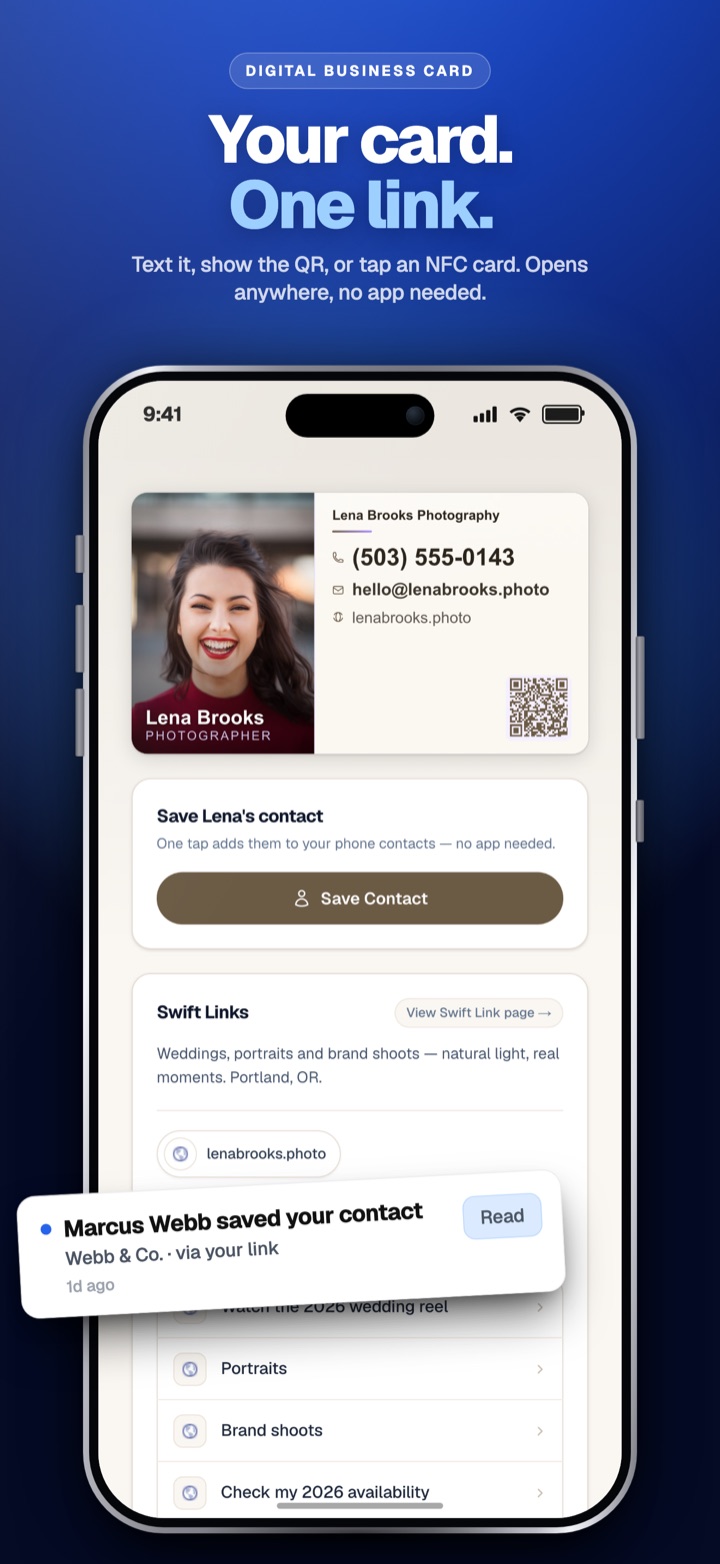
On the Free plan you get:
- One card you share by QR code, link or NFC tap, in any of the 6 card templates
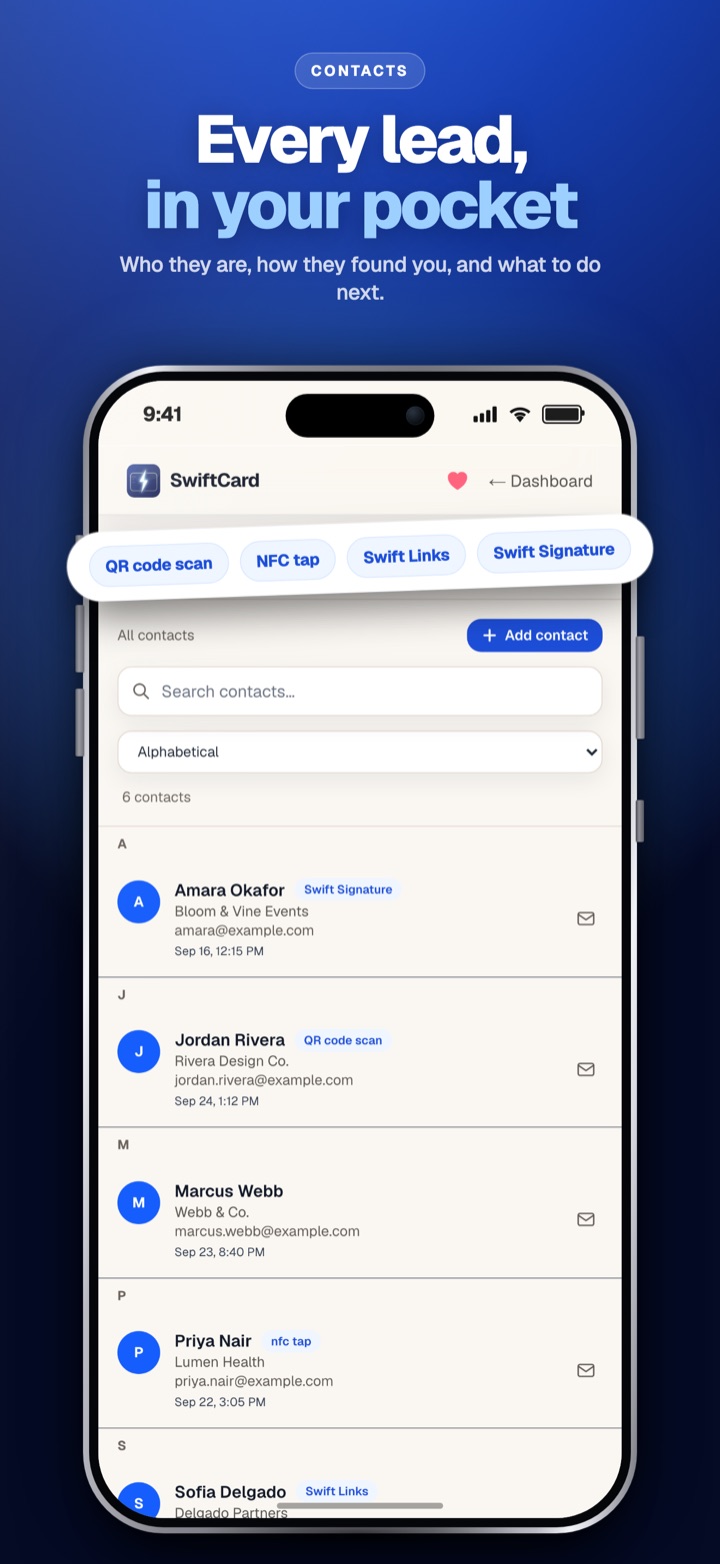
- A share back form, so the person you meet can send you their details. You can save up to 5 new contacts a month this way or by adding them yourself
- A contacts list with notes, so you remember that Dana wanted a quote in March
- Automatic follow up emails you can switch on for any contact
- Swift Links, your own link in bio page with your socials plus 2 extra links, like your website or booking page
- Swift Signature, which turns your card into an email signature
- Basic stats on card views, Swift Links views and link taps
The limits are real, so here they are plainly. Free is one card. The 5 new contacts reset on the 1st of each month and count per account, so deleting and recreating a card won't reset them. There's a small SwiftCard note at the bottom of your emails and Swift Links page. And if a sixth person shares their details in a month, we don't throw that away. They're saved and stay hidden until you upgrade, so you never lose a lead because you hit a cap.
The person you hand your card to never needs an app. They open a link, tap save, done.
If you want to see how it looks with your own name on it, make your free card here. It takes a few minutes and there's no card required for Free.
Where it actually pays to upgrade
Free is enough for plenty of people. It stops being enough when you meet more people than it can hold. My honest rule: upgrade when the free plan starts costing you contacts, and not before.
Here's when Pro ($4.99 a month, or $54 a year) earns its money:
You meet more than 5 new people a month. A real estate agent running Saturday open houses blows past that in one afternoon. Each lost buyer costs more than a year of Pro. Pro makes contacts unlimited.
You still get handed paper cards. Pro scans a paper card and AI types the contact in for you. Free doesn't include scanning, not even a small allowance.
You want follow up you don't have to write. Pro adds AI drafted follow ups for each contact and lets follow ups go out by text message as well as email. A loan officer chasing a pre approval chat wants that message out while the conversation is still warm.
Your contacts need to land in your CRM. Pro sends them to Salesforce, HubSpot, GoHighLevel, Pipedrive, Google Contacts or Zapier, or downloads them as a spreadsheet. If you care about owning your data and never being locked in, this is the feature to check on any platform you pick.
You want to know who looked. Pro shows who viewed your card when they've shared their details, and which cities your views come from. More on that in our card analytics page.
Pro starts with a 14 day free trial. We collect a card at checkout and billing starts when the trial ends unless you cancel. You can cancel anytime and keep access until the end of the paid period.
Running a team? SwiftCard Office is $3.99 per seat a month with a 2 seat minimum. You set the logo and design once, lock it, and every contact your team collects stays in one list, even when someone leaves.
Which free route fits you
Job seeker heading to a career fair. SwiftCard Free or Blinq's free tier will both do the job. You'll meet recruiters, but they're the ones collecting, so 5 contacts a month is plenty.
Freelancer, stylist or photographer. Free works well because Swift Links doubles as your link in bio, so your Instagram traffic and your in person card point to the same page.
Contractor or plumber. Start free with the Local Business template, which makes your phone number the hero. Upgrade the month neighbors start asking for your number faster than 5 a month.
Agent, loan officer or sales rep. Start free to set it up, but you'll likely want Pro within a week. Your whole business is follow up.
Do you need an NFC card?
No. NFC is a nice party trick, and some people love the tap. But a QR code on your phone screen works on any modern phone camera, costs nothing, and can't be left in another jacket. Some tools, like Dot and Mobilo per the pages above, start with a device you buy. With SwiftCard you start free on your phone and add an NFC tag later only if you want one.
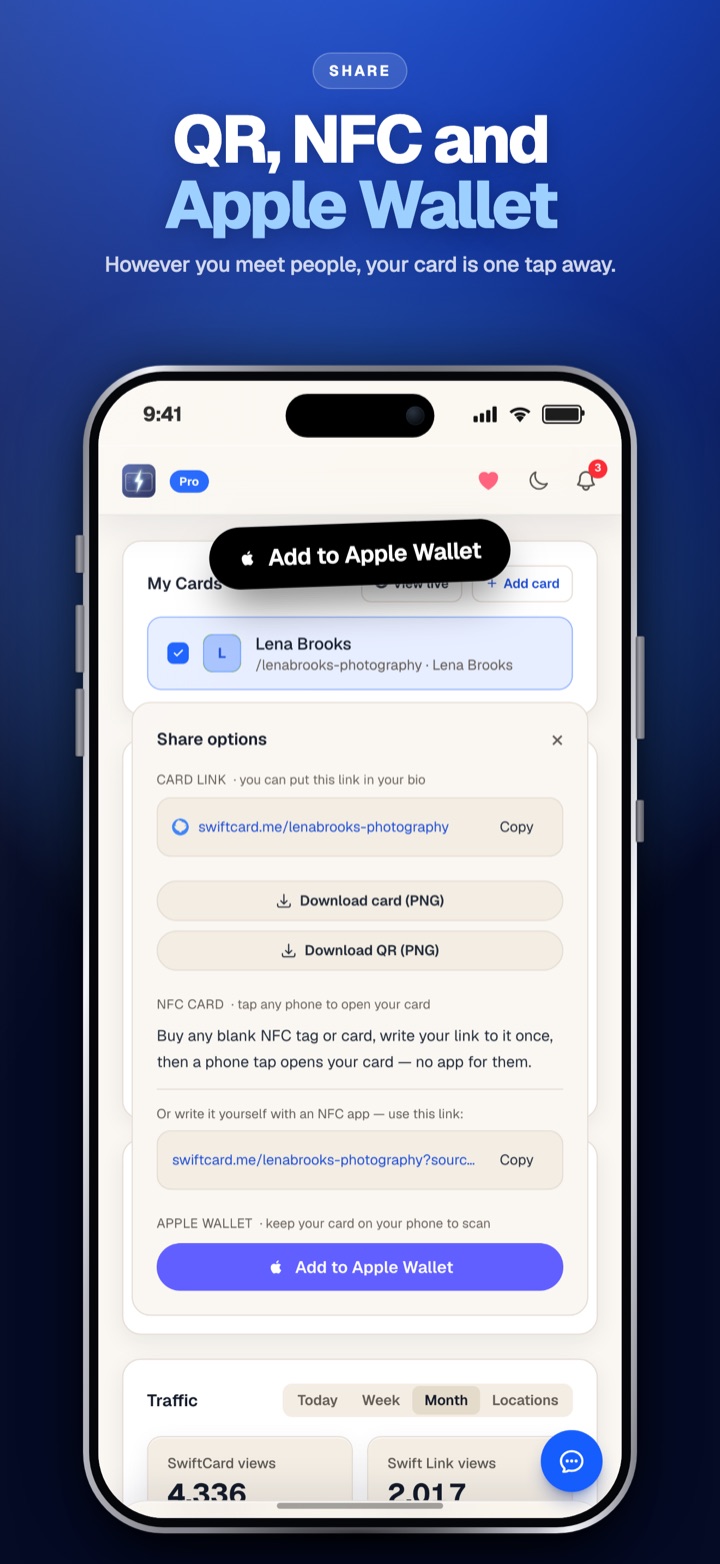
Set up a free digital business card on your phone
- Open SwiftCard's card builder in your phone's browser.
- Pick a template. Photo First if people need to recognize you, Logo First if your brand matters more than your face.
- Add your name, title, phone and email. Then add the one link you most want people to tap.
- Turn on the share back form so people can send you their details.
- Save the QR code to your phone's photos or your lock screen so it's two taps away.
- Send yourself the link and save it, so you see what others see.
That's the whole thing. When your number changes, you edit it once and every copy updates.
Frequently asked questions
Is a free digital business card really free, or a trial?
It depends on the company. SwiftCard Free is free forever with clear limits. Our Pro plan has a 14 day trial, and that's the only trial we run. Read any pricing page for the words "trial" and "billed" before you enter a card.
Do I need a credit card to sign up?
Not for SwiftCard Free. You only add one if you start a Pro trial.
Does the person receiving my card need an app?
No. They open your link or scan your QR code in their browser and save you to their contacts.
Can I get a digital business card with no signup?
Yes, a vCard file or a QR code with your details baked in. Both work, but they can't be updated and they tell you nothing about who saved them.
How much does a digital business card cost?
You can start at $0. Paid plans we found ranged from SwiftCard Pro at $4.99 a month to around $10 a month elsewhere. See our pricing page for every SwiftCard plan.
Start with free, upgrade when it pays
The best free card is the one you'll actually pull out at the next event, and that gets the other person's details back to you. Start there. If free covers you, stay free. If you start meeting more people than it holds, you'll know exactly why you're paying.
Create your free SwiftCard and have it on your lock screen before your next handshake.